NaddaraOS Back to home

NaddaraOS Documentation

Last updated: August 27, 2026

These guides cover how NaddaraOS works day to day. The full manual — including permissions, settlement rules and the detail behind each report — is inside the application, where it has your own configuration around it.

Getting started

A new account walks through one wizard: business details, branding, your first branch, and the people who will use it. Nothing else in the app needs configuring before you can take an order.

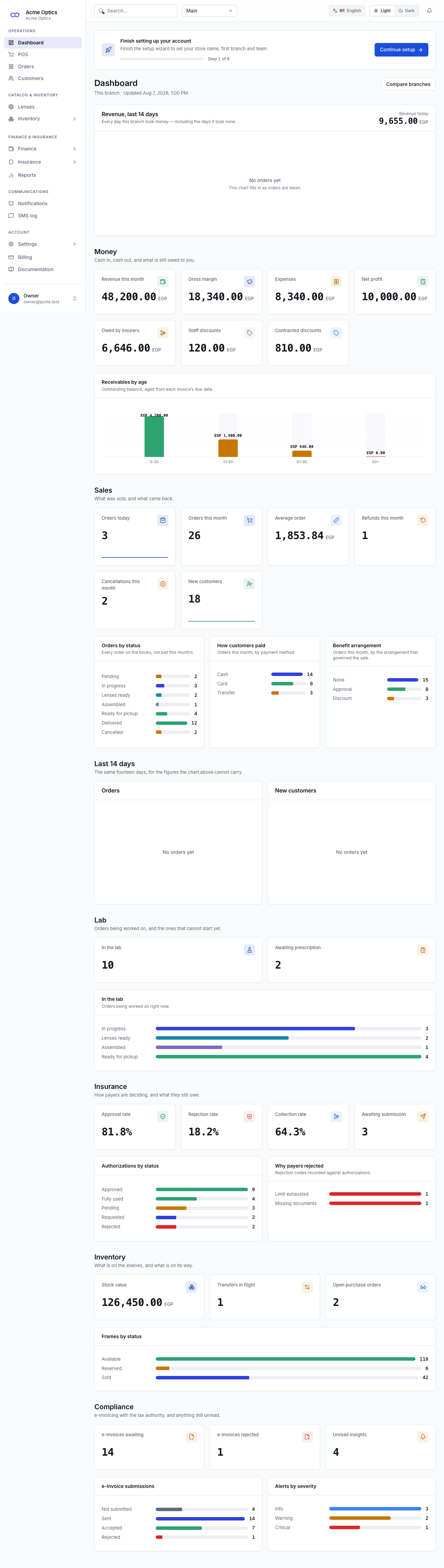
The NaddaraOS dashboard shortly after setup

Knowing how trade is going

Revenue, margin, receivables and the ageing of what payers owe you, for whichever branch you have selected. Every figure is computed from your own records — and where there is genuinely nothing to compute from, it says so rather than showing a zero that would read as a bad result.

The NaddaraOS dashboard, showing revenue, receivables ageing and 14-day trends

Taking an order

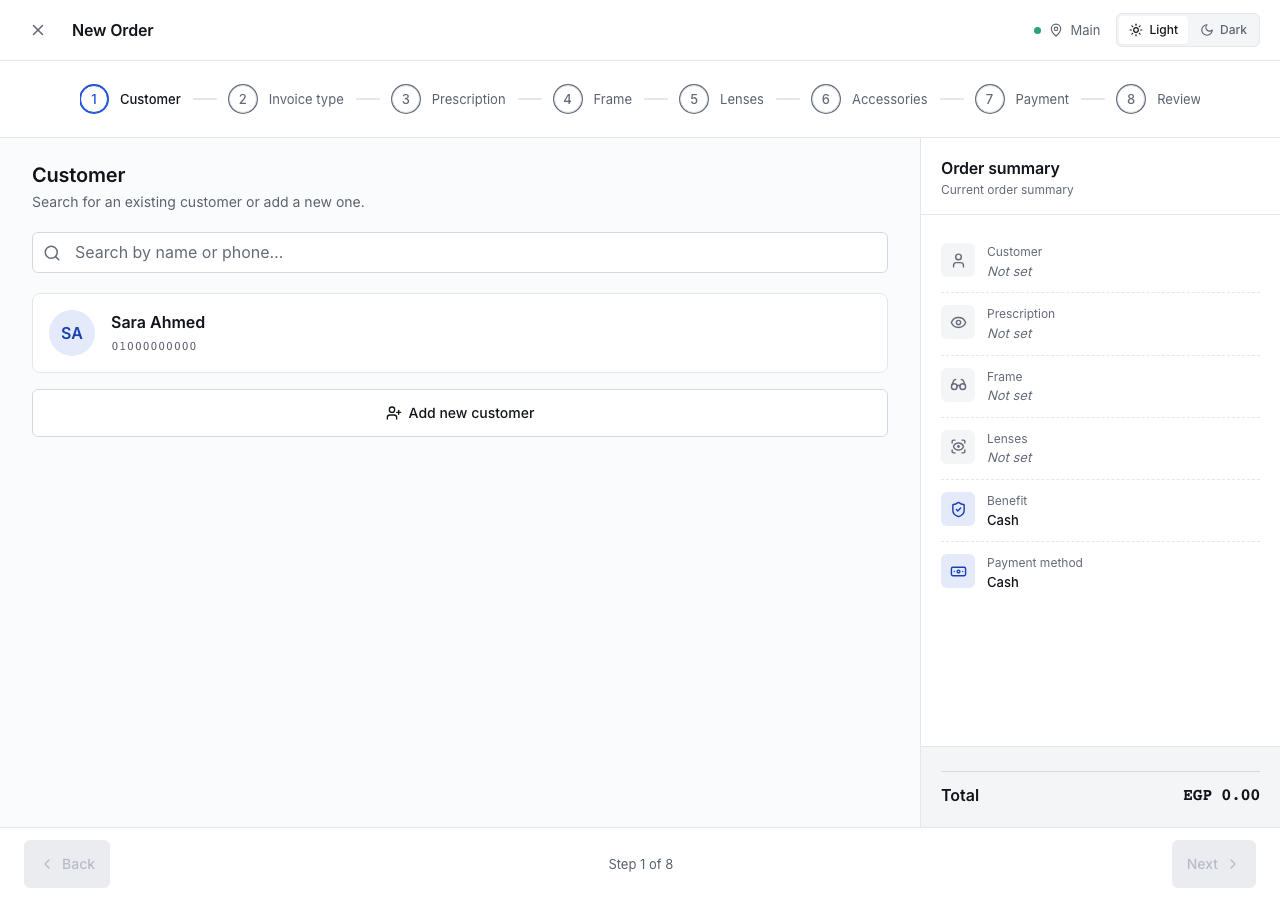
A seven-step wizard: customer, benefit arrangement, prescription, frame, lens, accessories, payment. It runs the same without a connection — the price becomes an estimate, the order queues on the device, and it sends itself when the network returns.

The NaddaraOS point of sale, with the step rail and running order summary

Following an order through

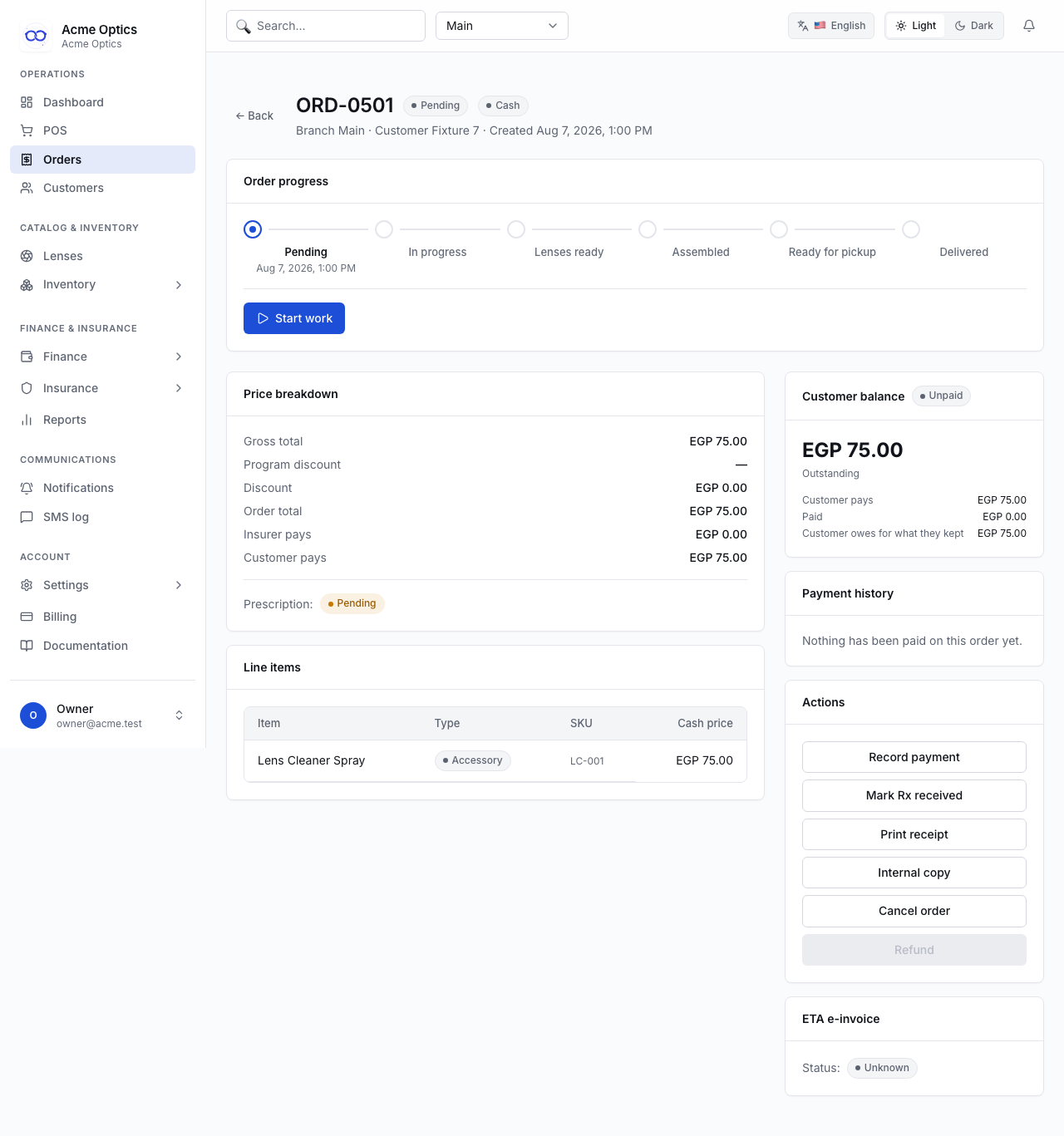
Every order shows where it is on its lifecycle, what it has passed, and what is next. The app only offers moves the system will actually accept, so a button you can see is a button that will work.

An order detail page showing the lifecycle stepper and price breakdown

Insurance that models how payers really work

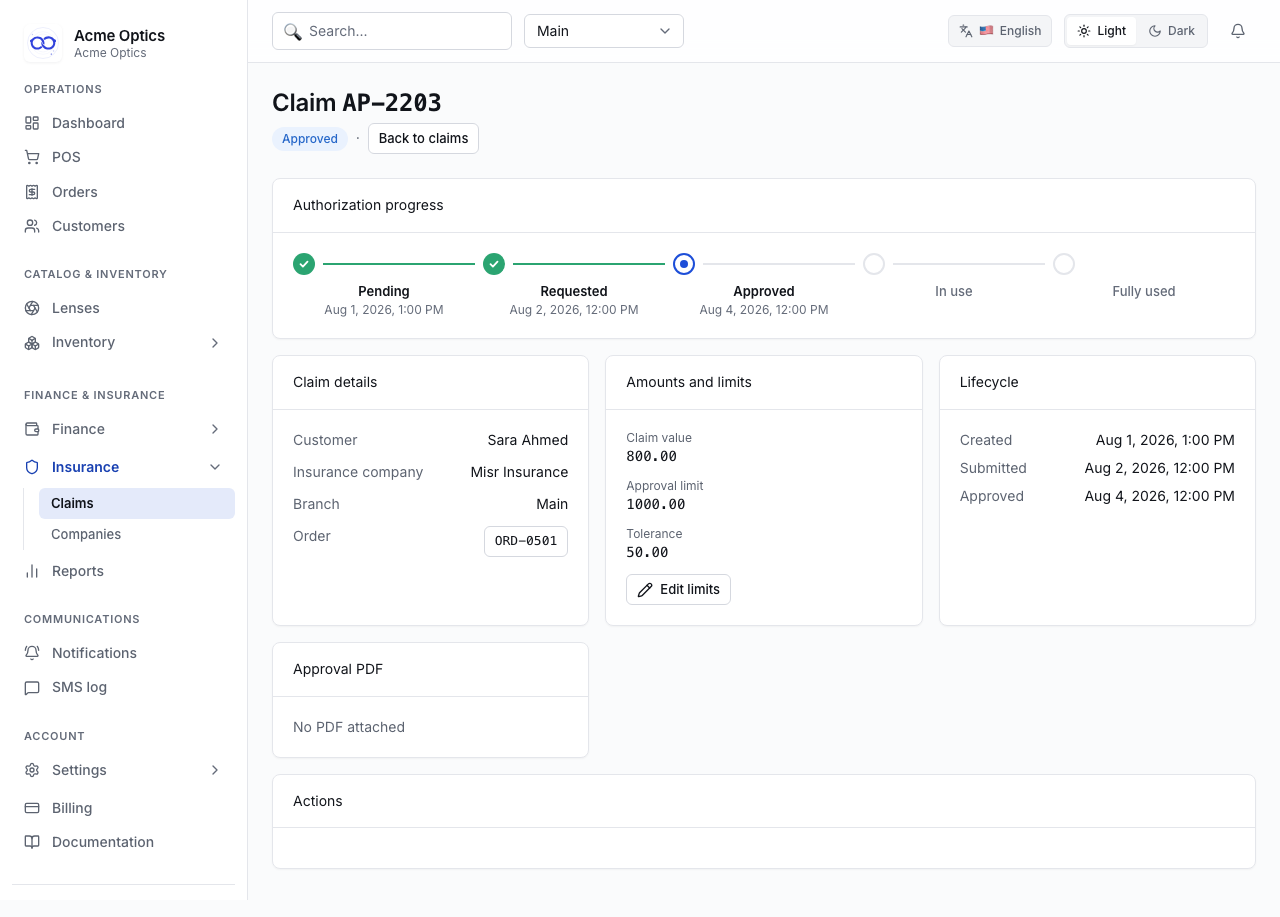
One payer commonly runs several arrangements — a corporate scheme that pre-authorises, a retiree scheme that only discounts — and they behave differently. NaddaraOS models the plan, not just the company, so a receivable is raised where a payer genuinely owes you and nowhere else.

An insurance authorization showing its progress and approved amounts

Working when the connection does not

Installs to the till and keeps selling offline. Orders queue on the device with an idempotency key, so a reconnection mid-send cannot create the same order twice, and anything the server refuses is held for a person to resolve rather than dropped.

Reading the rest

Every module in the application links to its own guide from the top of its page, and the whole manual is under Documentation in the sidebar. Sign in to read it, or contact support if you need something it does not cover.